Create a journey
Name it, pick a brand and choose a starting point.
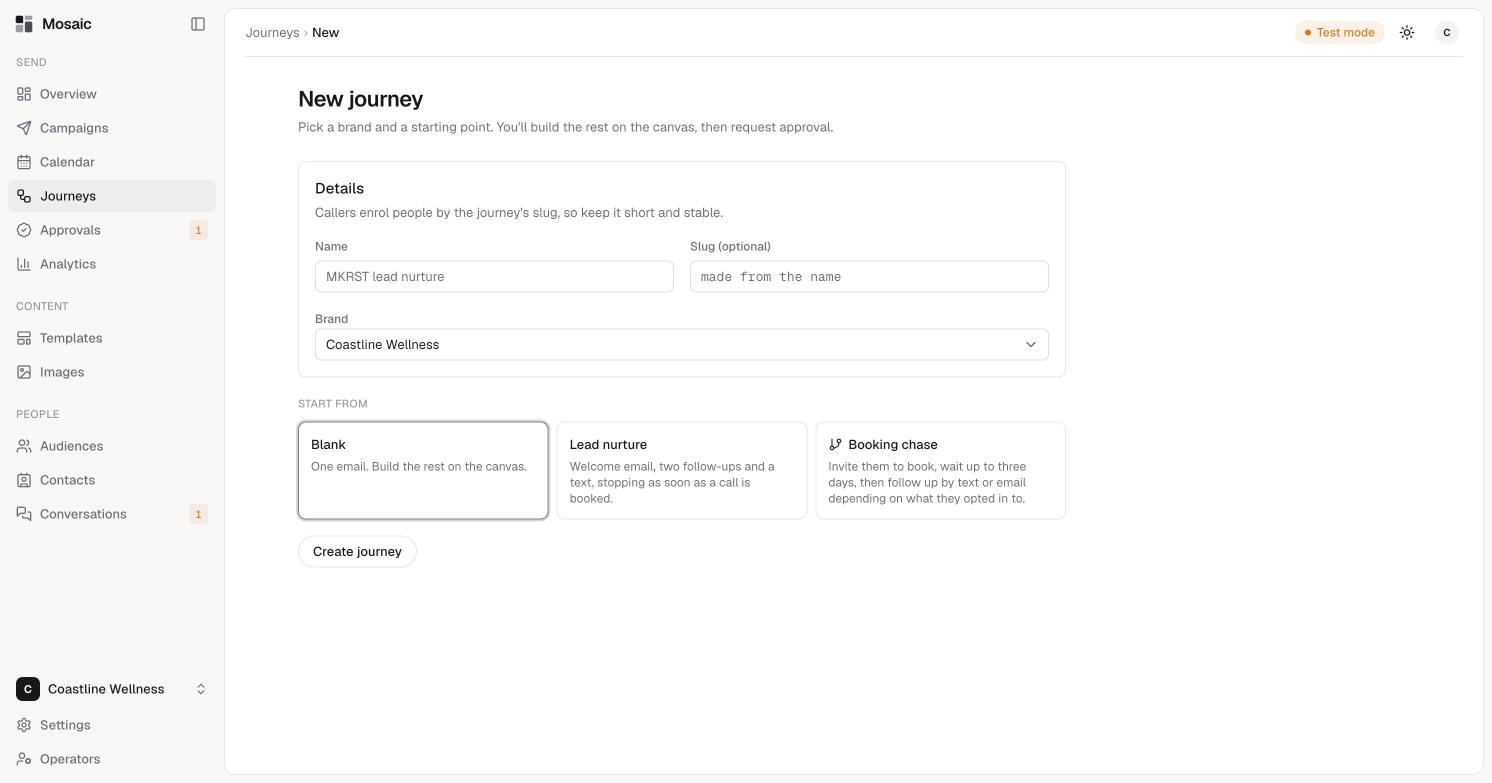
You'll build the rest of a journey on a canvas, but first you give it a name and pick a starting point.
Steps
- Open Journeys, then click New journey.
- Enter a name, for example "Welcome series".
- Optionally, enter a slug. If you leave it empty, Mosaic makes one from the name.
- Choose the brand.
- Under Start from, choose one of the starting points below.
- Click Create journey.
About the slug
Callers enrol people by the journey's slug, so keep it short and stable. It's shown under the journey's name, for example welcome-series. If another system adds people to this journey, it uses the slug. See integrations.
Starting points
- Blank. One email. Build the rest on the canvas.
- Lead nurture. A welcome email, two follow-ups and a text, stopping as soon as a call is booked.
- Booking chase. Invites them to book, waits up to three days, then follows up by text or email depending on what they opted in to. This one branches.
Every starter message already includes what Mosaic's compliance checks require, an unsubscribe link in emails and opt-out wording in texts. You only need to write the content.
What happens next
Mosaic creates a draft and opens the builder. Nothing is sent. See build the steps of a journey.
Last updated 5 November 2026