 Mosaic Help Centre
Create an audience
Save a group of contacts so you can send to the right people every time.
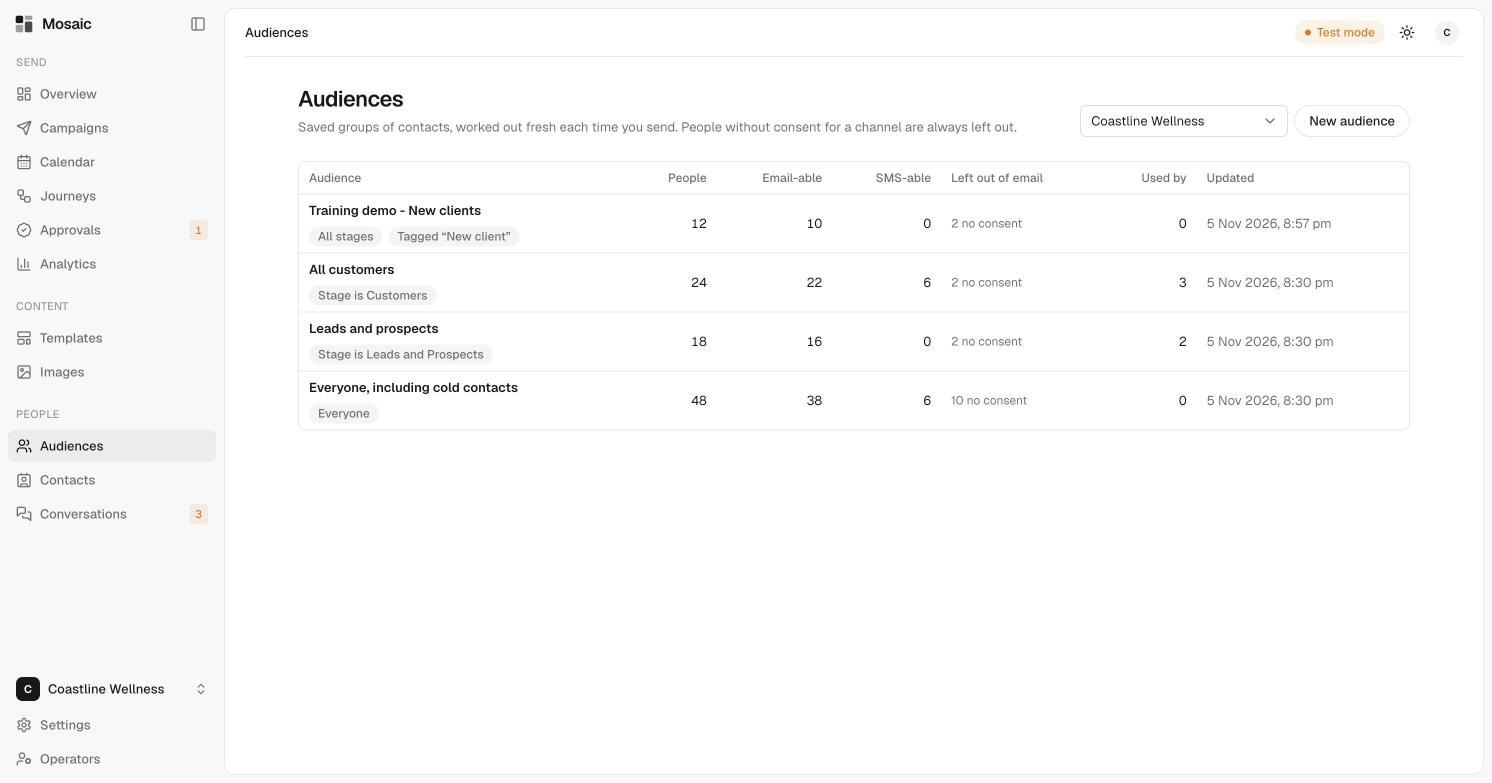
An audience is a saved group of contacts, such as "All customers" or "Leads and prospects". It's worked out fresh each time you send, so it's always up to date. People without consent for a channel are always left out.
The Audiences page
For each audience you'll see:
- People, the number of contacts in it.
- Email-able and SMS-able, how many of them can be sent that kind of message.
- Left out of email, for example "2 no consent".
- Used by, how many campaigns use it.
Create one
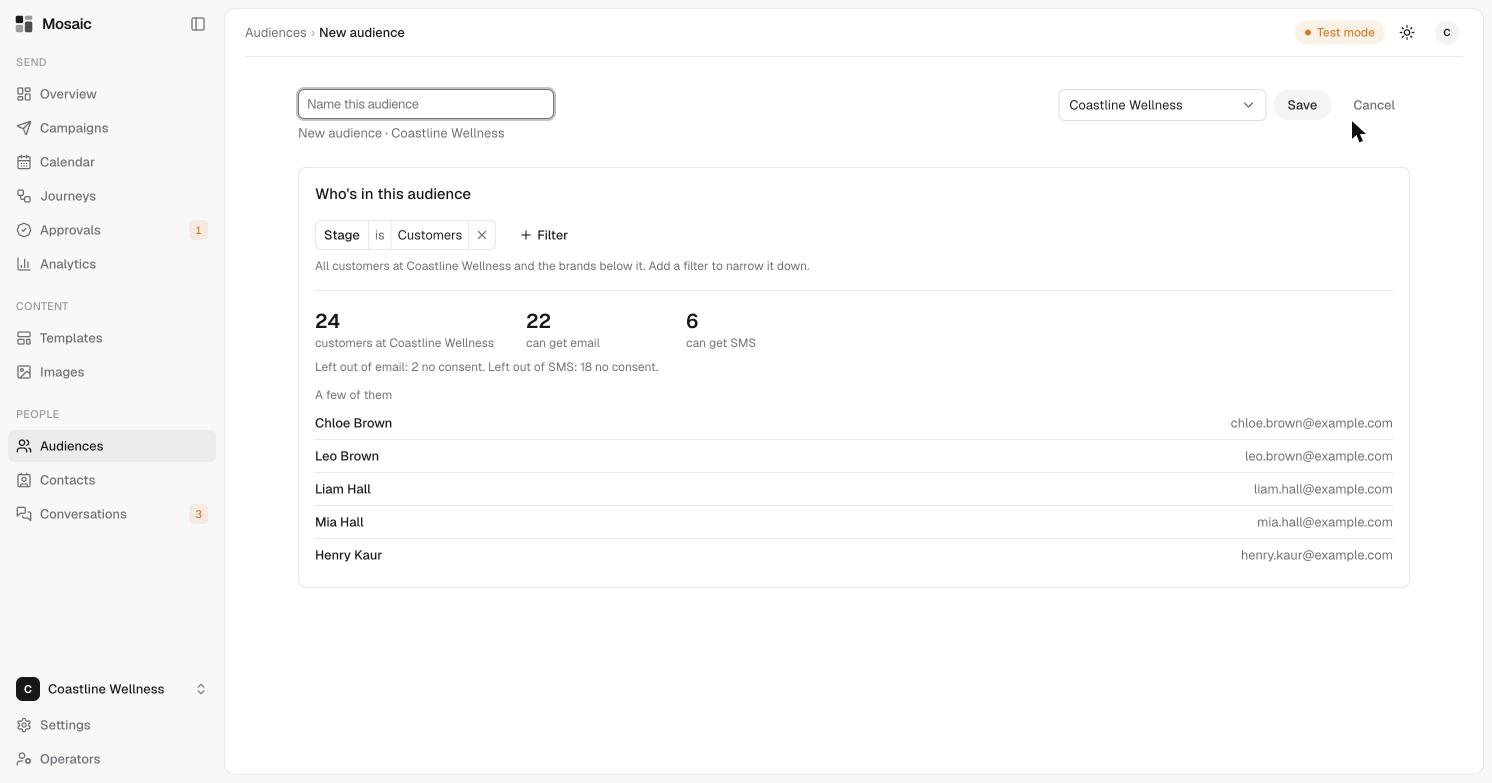
- Open Audiences, then click New audience.
- Name the audience, and choose the brand.
- Under Who's in this audience, set your filters. A starting filter is already there, such as Stage is Customers. Click the × to remove it, or Filter to add another.
- Check the numbers underneath. They show how many people match, how many can get email and SMS, and why others are left out. A few of them lists some of the people.
- Click Save.
Use it
Choose the audience in the To section of a campaign. See choose an audience and send for approval.