 Mosaic Help Centre
Consent explained
What consent means in Mosaic, why it is recorded, and where to see it.
Mosaic only lets you contact people who have agreed to hear from you. That agreement is called consent, and it is tracked separately for each channel, email and SMS.
Recording consent
When you add a contact, tick Opted in to email or Opted in to SMS only if the person has actually agreed on that channel. Mosaic asks you to record:
- Where and how they agreed, for example "In-store sign-up form" or "Website sign-up, 14 March".
- The date they agreed.
This becomes the consent record for that contact. You can't opt someone in without one.
Seeing who you can contact
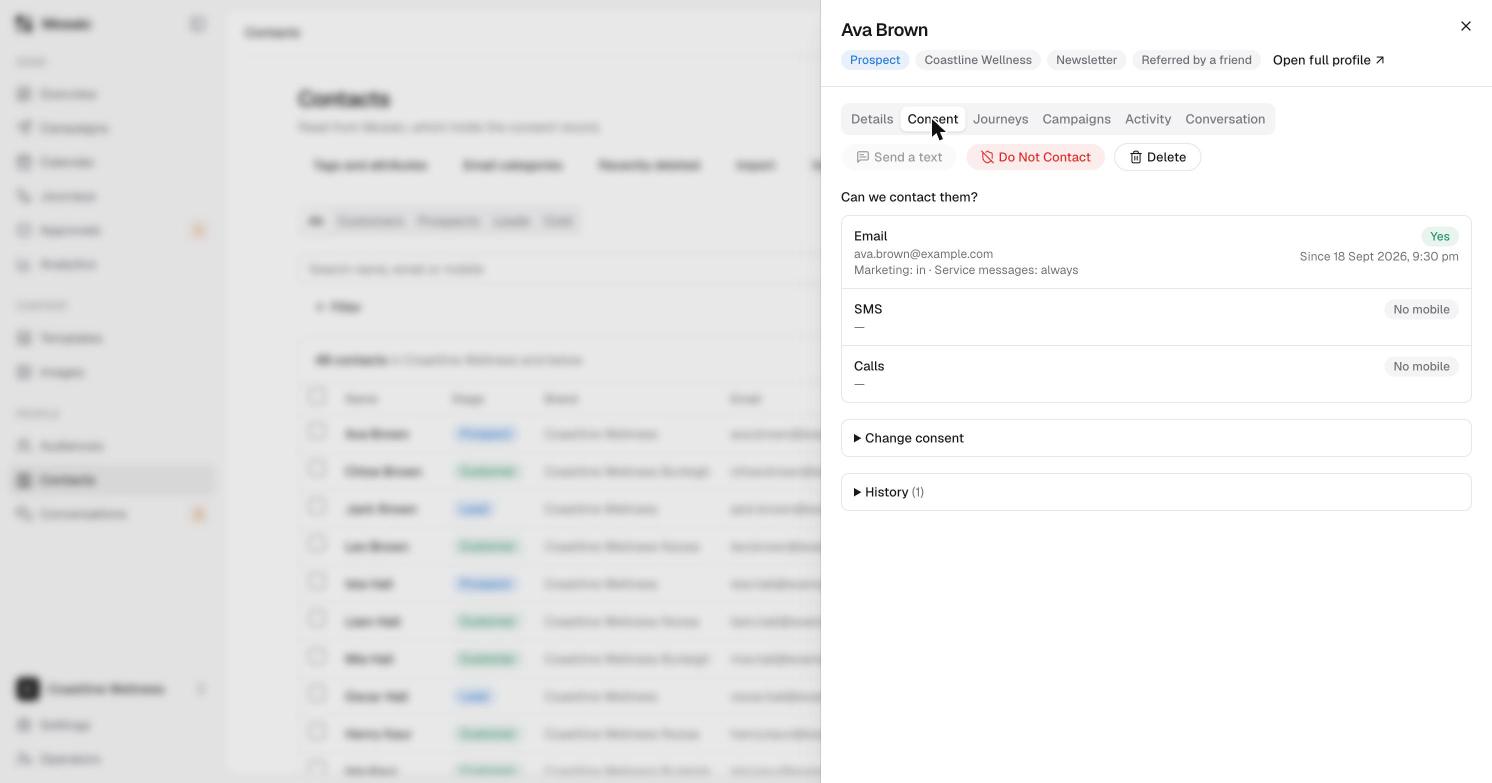
Open a contact's card and choose the Consent tab. It shows whether you can contact them by email, SMS or calls, and the history of any changes.
Do Not Contact
On a contact's Details tab, Do Not Contact stops all messages to that person. Use it when someone asks you to stop.
When someone opts out
If a person replies STOP to a text or uses the unsubscribe link in an email, Mosaic stops messaging them on that channel.