 Mosaic Help Centre
Find contacts with search, tabs and filters
Narrow the Contacts list by stage, tag, consent, email check and more.
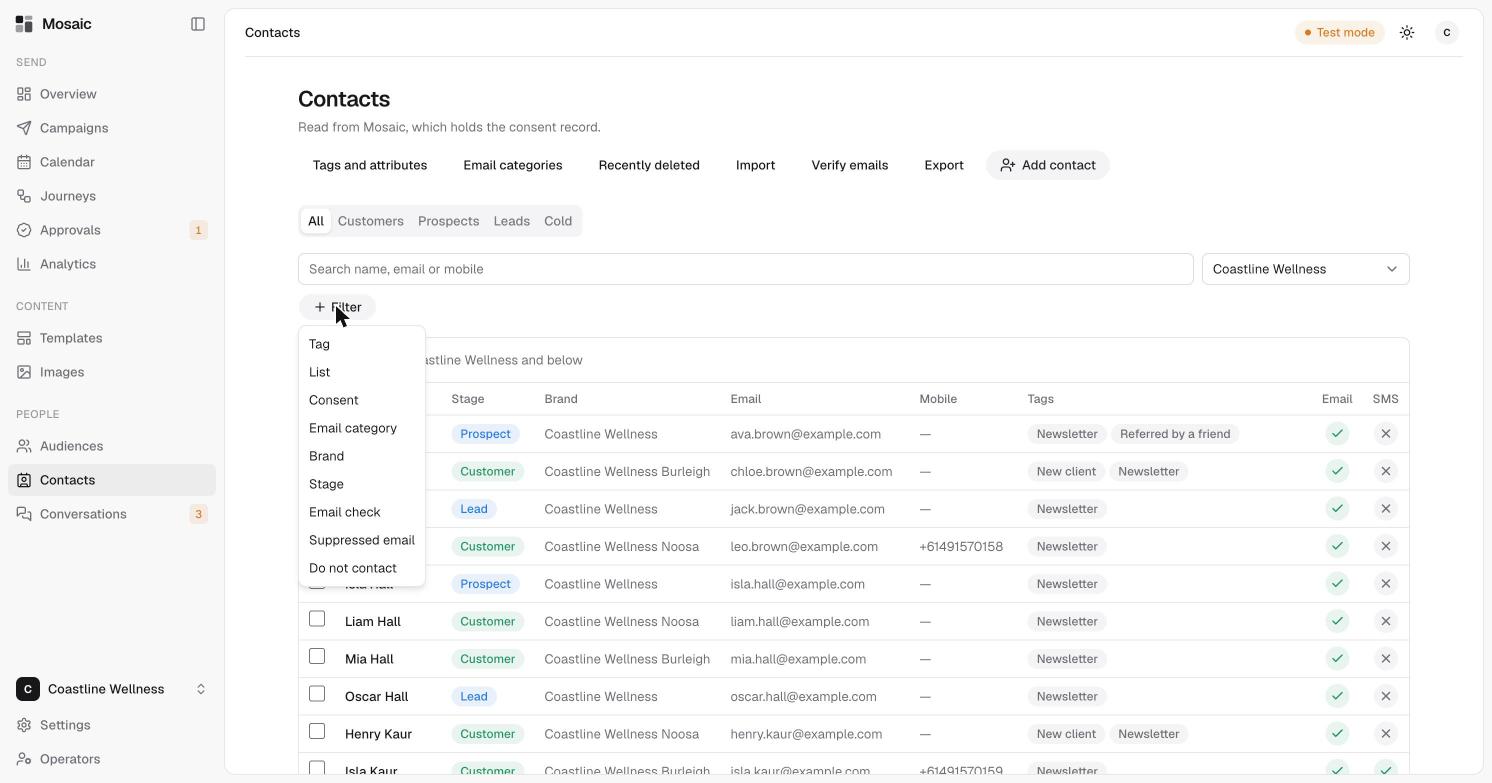
The Contacts page lists everyone you can message. There are several ways to find the people you want.
Tabs
The tabs above the list show people by stage: All, Customers, Prospects, Leads and Cold. You can change a contact's stage on their profile.
Search
Type a name, an email address or a mobile number in the search box.
Brand
Use the brand picker to choose a brand. You'll also see the brands beneath it. See brands.
Filters
Click Filter to narrow the list. You can filter by:
- Tag or List
- Consent
- Email category
- Brand or Stage
- Email check, the result of verifying emails
- Suppressed email
- Do not contact
Filters are the same building blocks used in audiences.
Reading the list
Each row shows the contact's name, stage, brand, email, mobile and tags. The Email and SMS columns show whether you can contact them on that channel. A tick means you can. A cross means you can't, for example because they have no mobile number or haven't agreed.
The toolbar
Above the list you'll find Tags and attributes, Email categories, Recently deleted, Import, Verify emails, Export and Add contact.