 Mosaic Help Centre
Tags and attributes
Label your contacts with tags, and add your own fields with attributes.
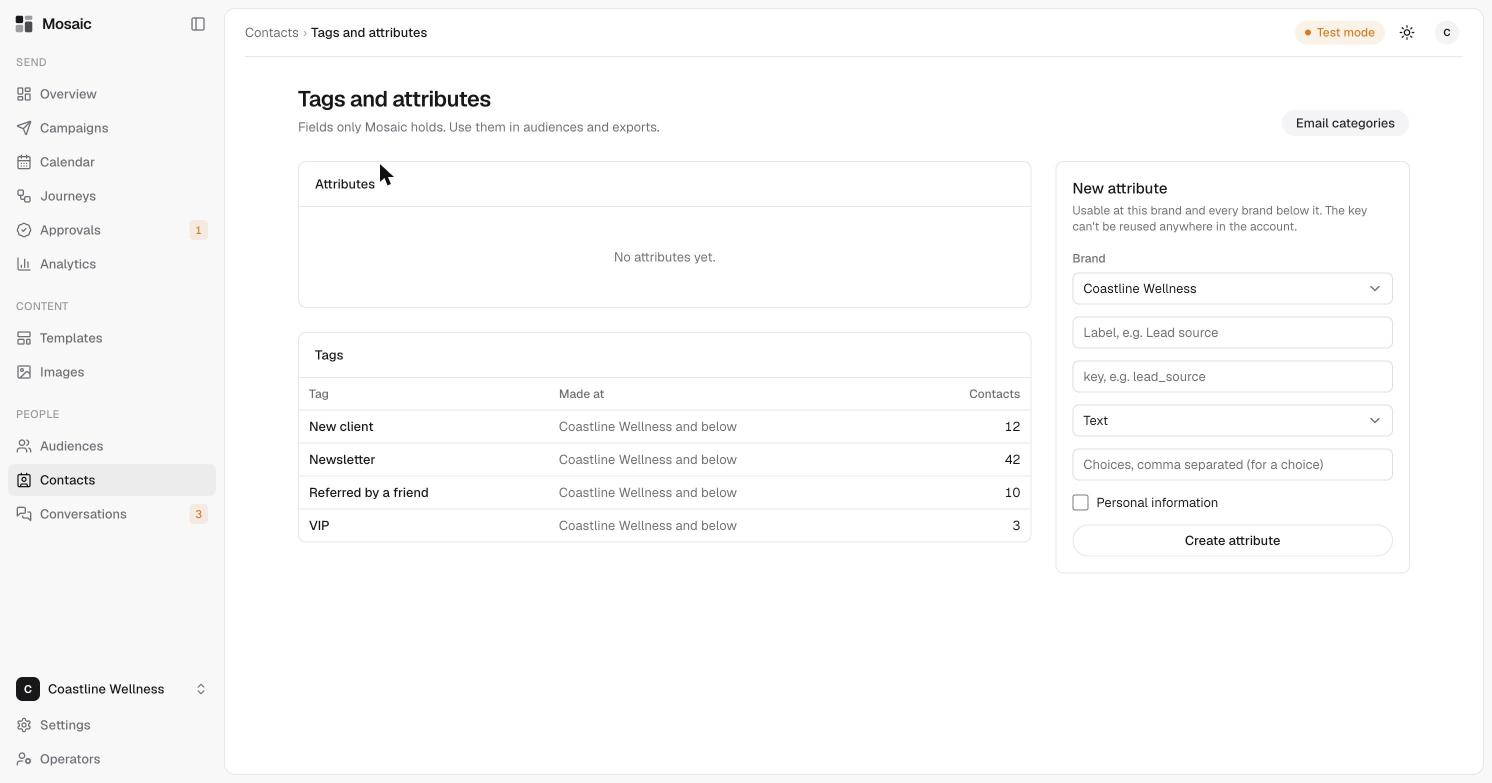
Tags and attributes are fields that only Mosaic holds. Use them to group contacts and to build audiences.
Tags
A tag is a short label such as New client, Newsletter or VIP. A contact can have as many as you like.
- Add tags when you add a contact, separated by commas.
- Add or remove them later on a contact's Details tab. Type in Add a tag and click Add, or click the × beside a tag to remove it.
The Tags and attributes page, reached from the Contacts toolbar, lists every tag, where it was made and how many contacts have it.
Attributes
An attribute is a custom field, such as Lead source. To create one:
- Open Contacts, then click Tags and attributes.
- Under New attribute, choose the brand.
- Enter a label, for example "Lead source", and a key, for example
lead_source. - Choose the type. If it's a choice, enter the choices separated by commas.
- Tick Personal information if the field holds personal details.
- Click Create attribute.
An attribute can be used at its brand and every brand below it. The key can't be reused anywhere in the account.