 Mosaic Help Centre
Verify email addresses
Check that addresses are real before your first send, and see what it costs.
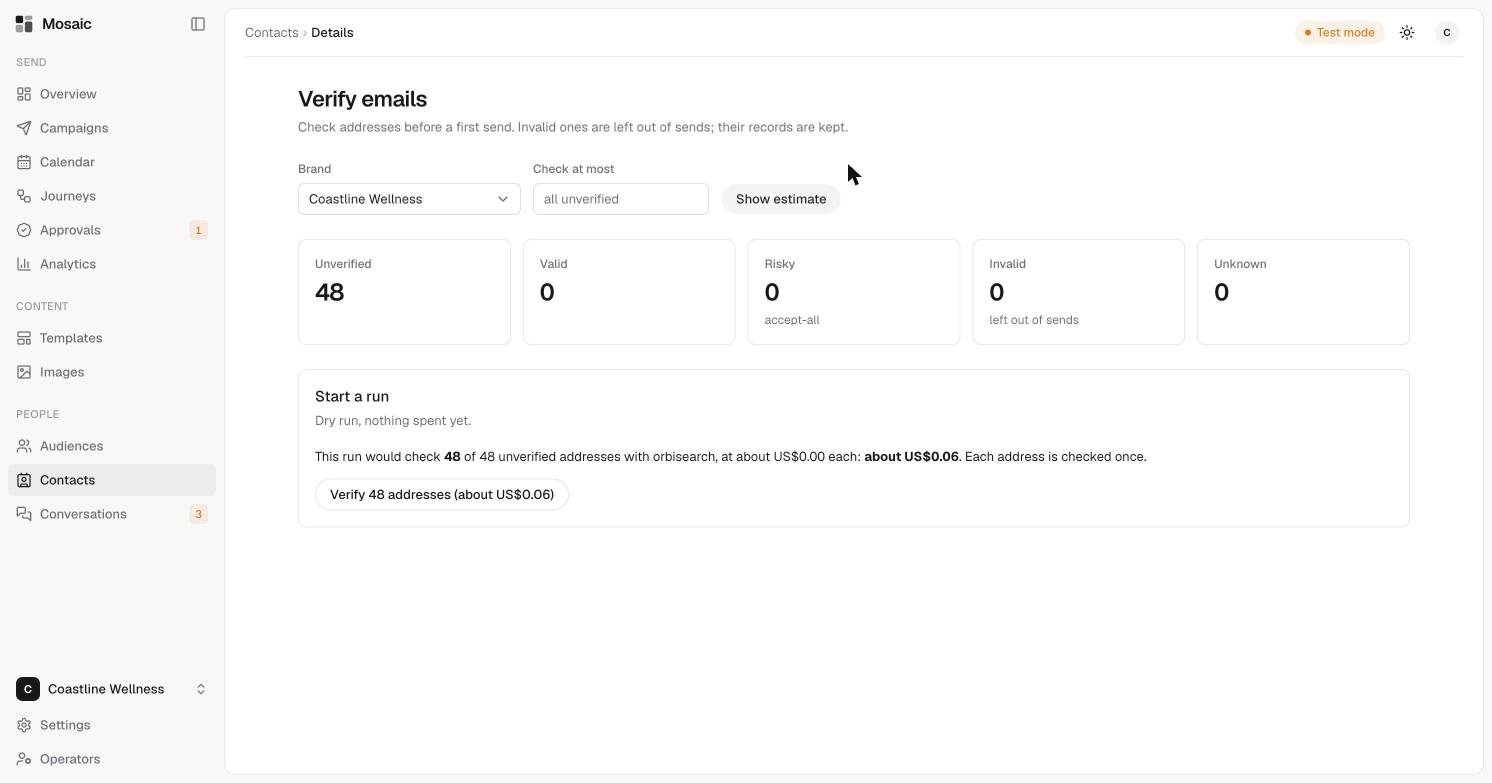
Sending to addresses that don't exist hurts your reputation with inbox providers. Verifying checks addresses before your first send. Invalid ones are left out of sends, and their records are kept.
Run a check
- Open Contacts, then click Verify emails.
- Choose the brand.
- Optionally, enter a number in Check at most to limit how many addresses are checked. Leave it empty to check every unverified address.
- Click Show estimate. Mosaic tells you how many addresses it would check and what that would cost. This is a dry run, and nothing is spent.
- Click the Verify button to start. Each address is checked once.
What the results mean
| Result | Meaning |
|---|---|
| Unverified | Not checked yet. |
| Valid | The address looks real. |
| Risky | The address accepts all mail, so Mosaic can't be sure it's real. |
| Invalid | The address doesn't work. These are left out of sends. |
| Unknown | The check couldn't tell. |
Verify one contact
Open a contact and click Verify beside their email address on the Details tab. See read a contact's profile.
Find contacts by result
Use the Email check filter on the Contacts page. See find contacts.