 Mosaic Help Centre
Choose an audience and send for approval
Pick who receives a campaign, send yourself a test, and request approval.
Once your email is designed (see how to build a campaign), the campaign page walks you through who it goes to and when.
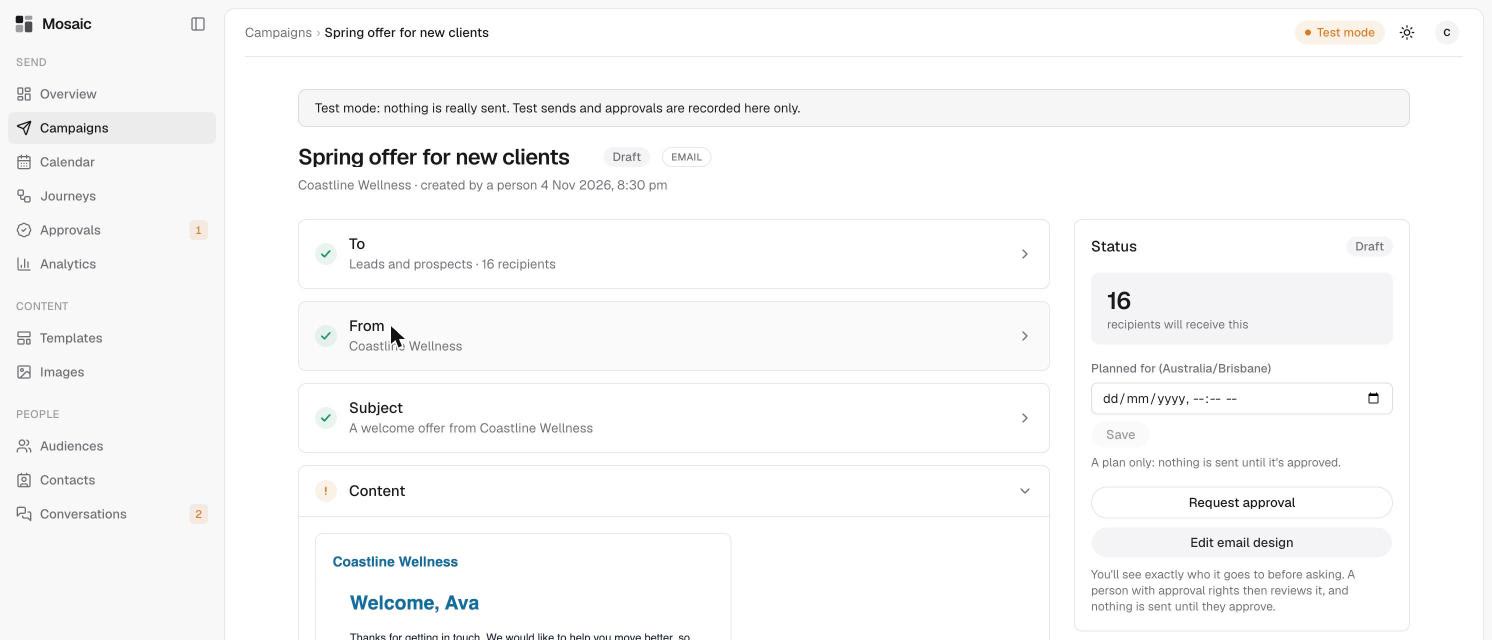
Choose who receives it
In the To section, pick an audience from Who should receive this? Mosaic shows exactly how many people will receive it, and how many were left out, for example because they haven't agreed to email messages.
Choose an email category, such as Marketing. People who have unsubscribed from a category won't get campaigns in it. See email categories. To make a new group of people, see create an audience.
Check the details
Review the From name and the Subject. The campaign shows what's still needed before it can be sent.
Send a test
Use Send a test to receive the email yourself and check it in a real inbox.
Send it for approval
When everything is ready, request approval. The campaign's status changes from Draft to Awaiting approval, and a person approves it before anything is sent. After that it shows as Sent, with counts of how many people it went to and how many opened it.
Read more in how approvals and safety checks work.