 Mosaic Help Centre
How approvals and safety checks work
Why every real send needs a person's approval, and the checks that run before it goes.
Mosaic is built so that nothing real is sent without a person saying yes.
A person approves every real send
Anyone on your team, or an AI assistant connected to Mosaic, can draft a campaign and request that it be sent. Only a person can approve it. When a campaign is waiting for that decision, its status shows Awaiting approval.
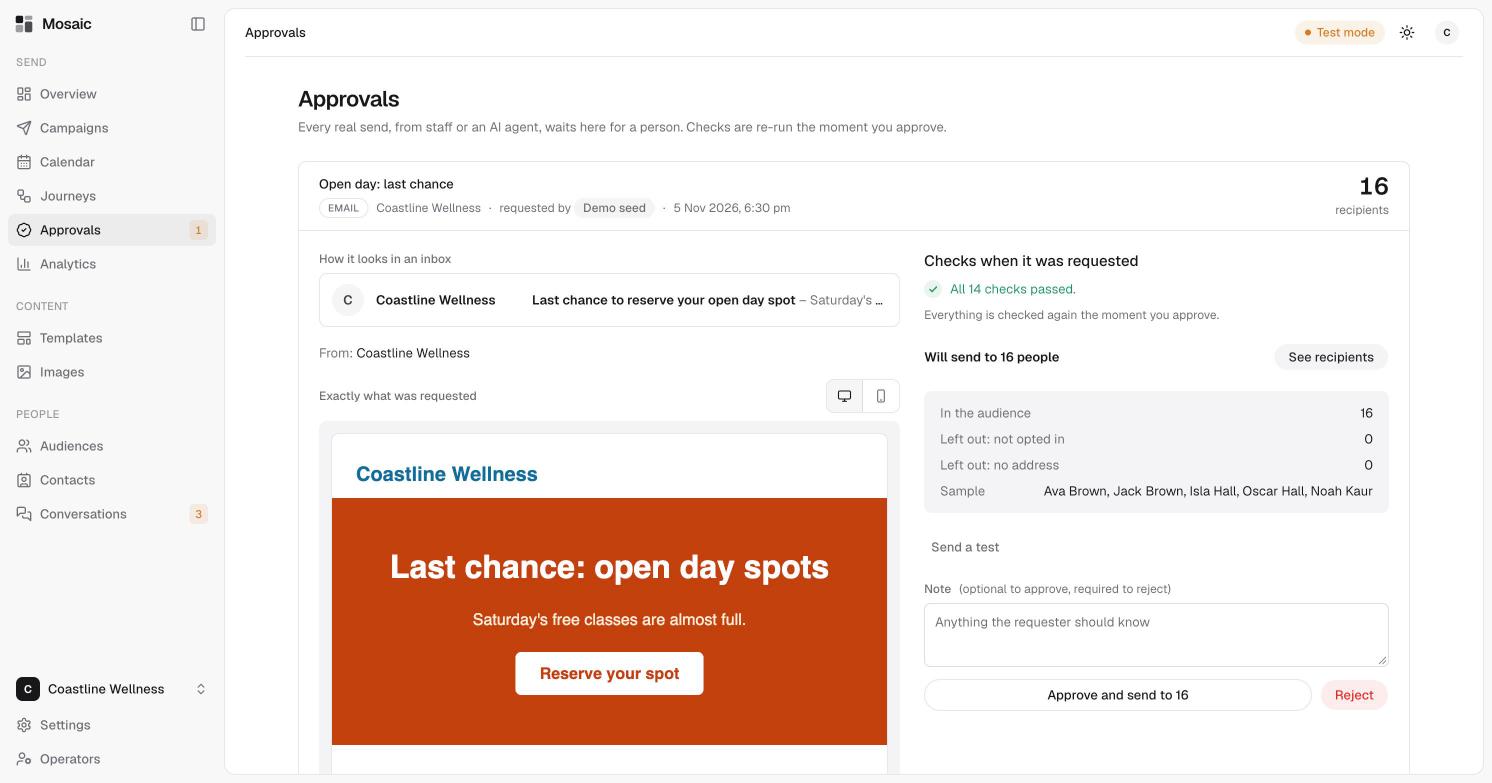
To see the approval screen step by step, read review and approve a campaign.
Checks run again at approval time
Mosaic checks a campaign when it is drafted and checks it again when it is approved, so a late change can't slip through. Each approval sends once. Approving twice can't send twice.
What Mosaic checks
- Unsubscribe link. Emails must include an unsubscribe link.
- Opt-out wording. Marketing texts must carry an opt-out line such as "Reply STOP to opt out". See quiet hours and opt-outs.
- Quiet hours. Texts aren't sent between 7pm and 7am in the contact's local time unless you override it.
- Consent. A contact has to have agreed to hear from you on that channel. See consent explained.
- Limits. Your brand can have sending limits. Limits set on a parent brand apply to the brands under it, and the strictest one wins.
Kill switches
Anyone can pause sending with a kill switch, for a single connected assistant, for your whole account, or globally. Only a person can turn sending back on.
Everything is logged
Mosaic keeps a record of every action taken by people and by assistants, including the times a send was refused. Records can't be edited or removed.