 Mosaic Help Centre
Reply to texts in Conversations
Read replies, see which need an answer and reply from one place.
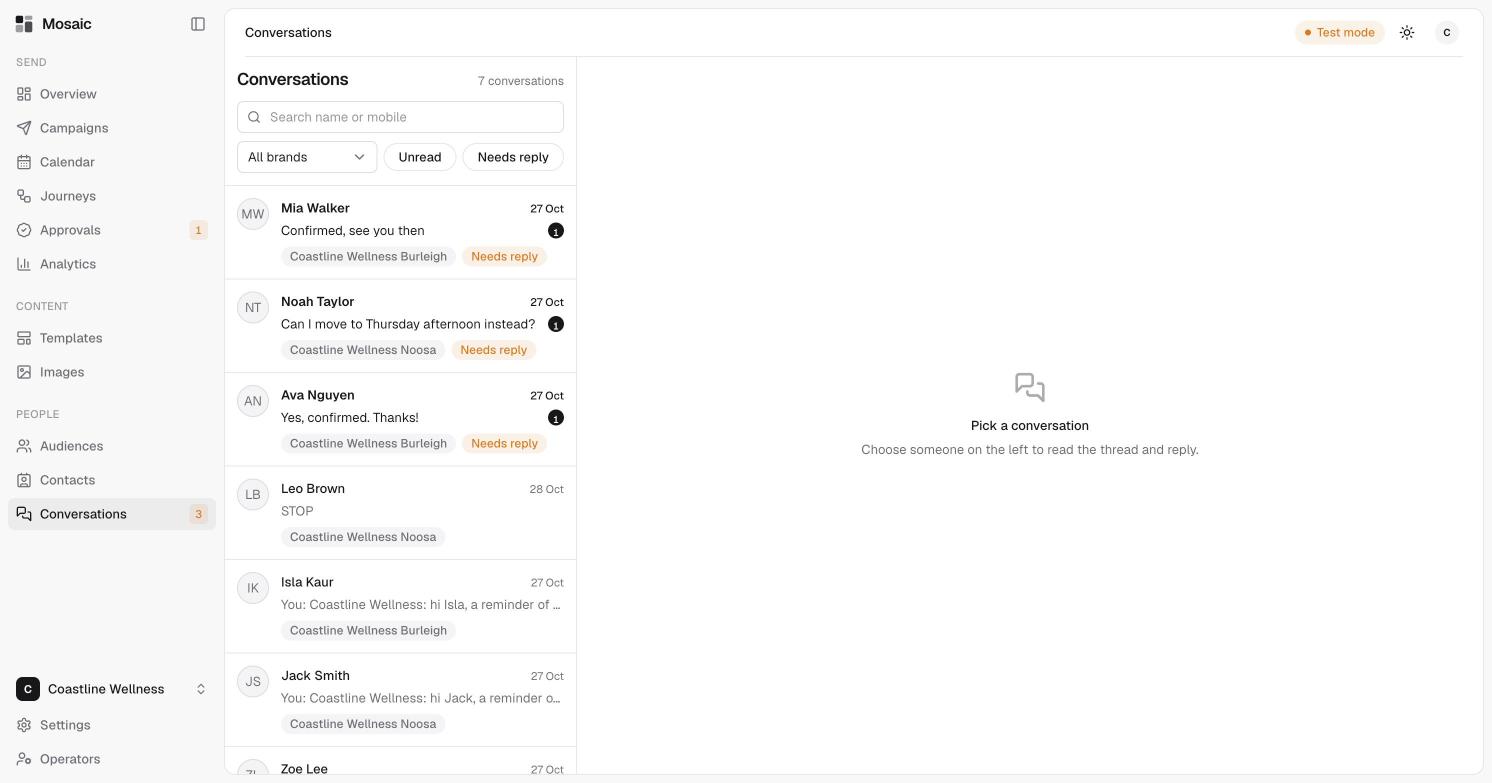
When someone replies to one of your texts, the reply arrives in Conversations. A number beside it in the sidebar shows how many are unread.
Find a conversation
- Search by name or mobile number.
- Choose a brand, or all brands.
- Click Unread to see only new replies.
- Click Needs reply to see conversations waiting on an answer. They're marked with an orange Needs reply tag.
Each row shows the person's name, the latest message, the date and the brand.
Read and reply
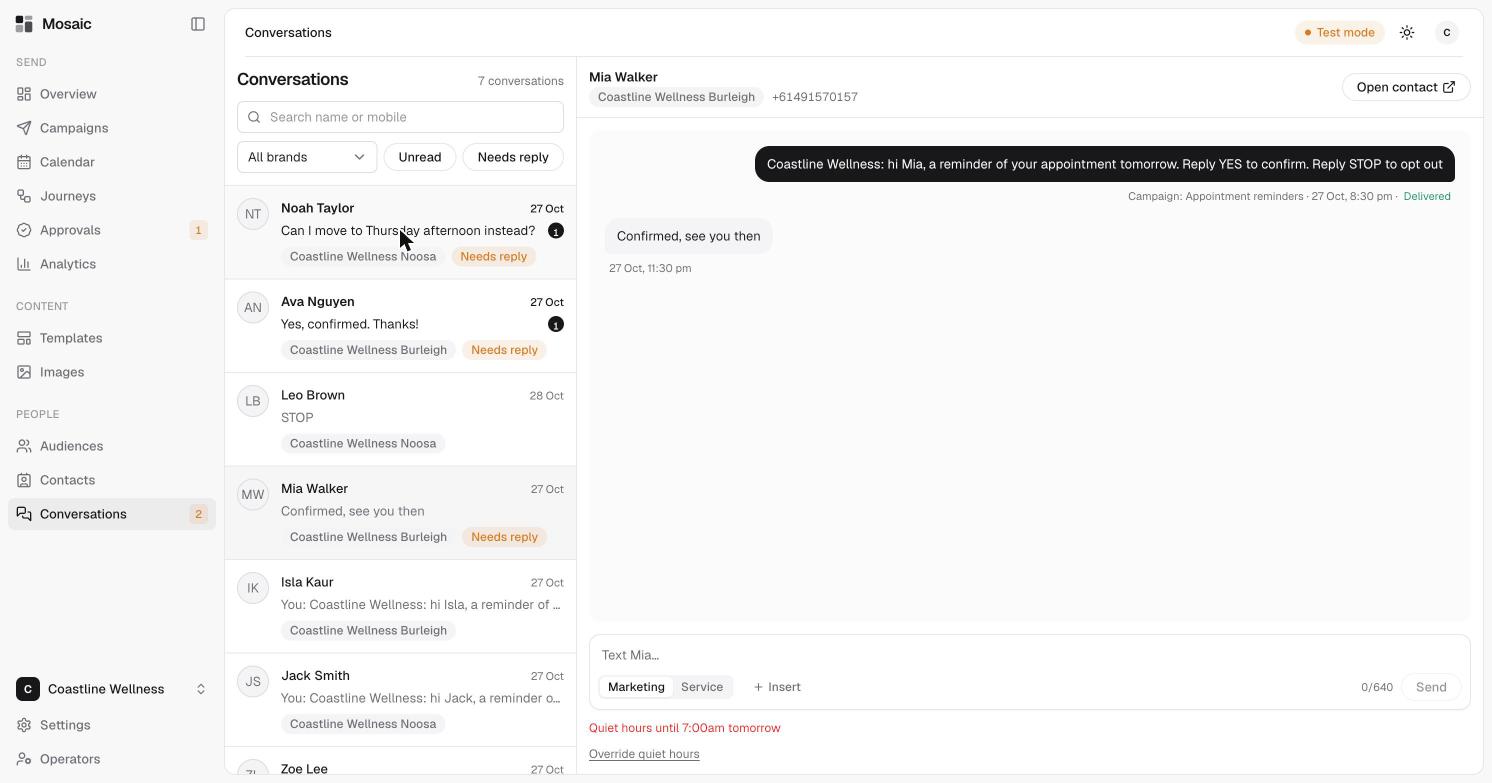
Click a conversation to read it. You'll see the message you sent, with the campaign it came from and whether it was Delivered, followed by the reply.
To answer:
- Choose Marketing for promotions, or Service for factual replies.
- Type your message. Mosaic counts the characters.
- Click Send.
The same checks apply here as anywhere else you text. See how to send an SMS. If it's quiet hours, you'll see the time they end and an Override quiet hours link.
Choose Open contact to see the person's profile. See read a contact's profile.
When someone replies STOP
Replies such as "STOP" appear in the conversation like any other. See quiet hours and opt-outs.