Safety: the kill switch and sending limits
Pause all sending in one click, and cap how much can go out.
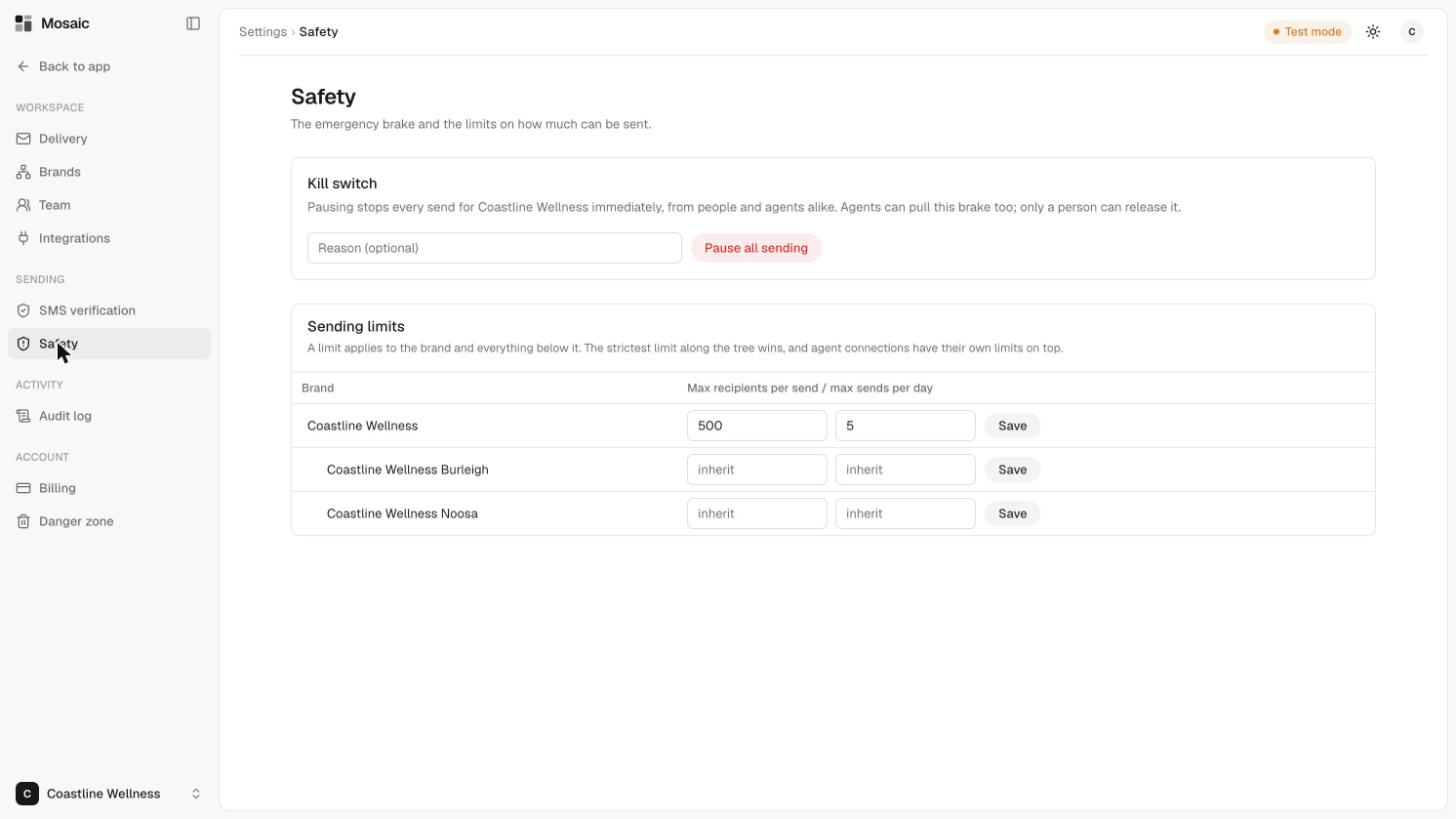
The Safety page in Settings holds the emergency brake and the limits on how much can be sent.
The kill switch
Pausing stops every send for your account immediately, from people and assistants alike. Assistants can pull this brake too, but only a person can release it.
- Open Settings, then Safety.
- Optionally, type a reason.
- Click Pause all sending.
Use it whenever something looks wrong. It's better to pause first and investigate afterwards.
Sending limits
Limits set a ceiling on each brand:
- Max recipients per send, the most people one send can go to.
- Max sends per day, how many sends a brand can make in a day.
A limit applies to the brand and everything below it. The strictest limit along the tree wins, and a lower brand can only make a limit stricter. A brand showing inherit uses the limit from above. Connected assistants have their own limits on top.
To change a limit, enter new numbers on the brand's row and click Save.
Related
Last updated 5 November 2026