SMS sender verification
Verify your business so it can send texts from its own number.
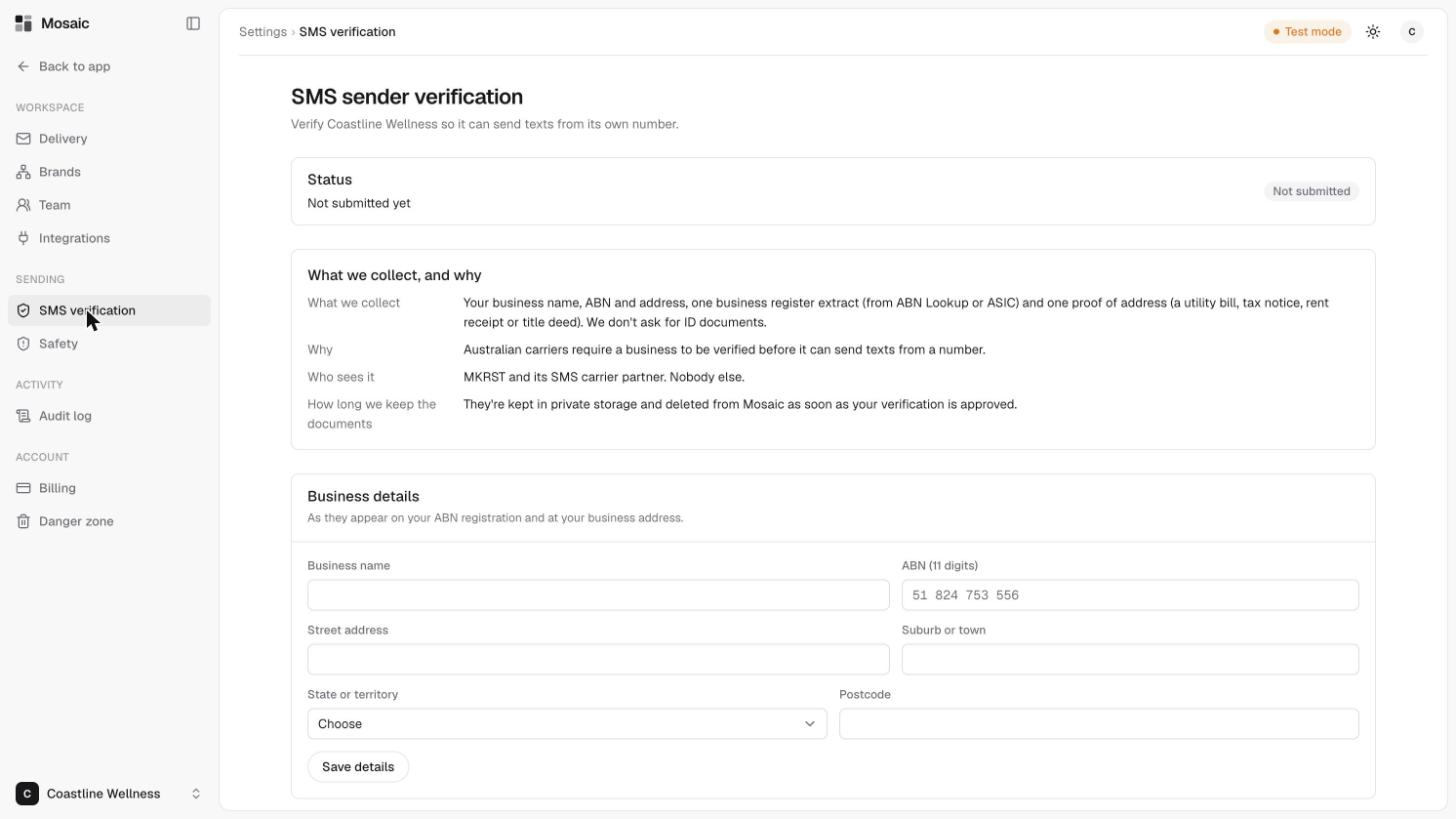
Australian carriers require a business to be verified before it can send texts from a number. SMS verification in Settings is where you do that for each brand.
What you'll need
- Your business name, ABN (11 digits) and address.
- One business register extract, from ABN Lookup or ASIC.
- One proof of address, such as a utility bill, tax notice, rent receipt or title deed.
Mosaic doesn't ask for ID documents.
Steps
- Open Settings, then SMS verification.
- Enter your business details, as they appear on your ABN registration and at your business address: business name, ABN, street address, suburb or town, state or territory, and postcode.
- Click Save details.
- Under Business register extract, choose the file and click Upload. It can be a PDF, JPG or PNG up to 4 MB, such as an ABN Lookup page saved as a PDF or an ASIC company extract.
- Under Proof of address, choose what kind of document it is, choose the file and click Upload. It can be a recent document showing the business address.
- Submit for checking.
The Status at the top shows where you're up to. It starts at Not submitted.
Who sees your documents
Only the Mosaic operator (MKRST) and its SMS carrier partner. Nobody else. They're kept in private storage and deleted from Mosaic as soon as your verification is approved.
Related
Last updated 5 November 2026